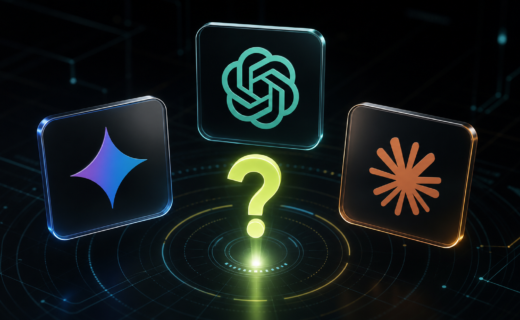

AI tools can now help with writing, research, planning, design, studying, coding, admin, and everyday questions. The hard part for beginners is not finding an AI tool. It is knowing which one to start with.
This guide explains the best AI tools for beginners in 2026, what each one is best for, and how to choose the right starting point.
The best AI tool depends on what you want to do. ChatGPT is a strong all-rounder. Gemini is useful if you already use Google products. Claude is good for reading, writing, and working with longer documents. Perplexity is useful when you want AI-assisted research with sources. Canva is better for visual design. Grammarly is useful for improving writing inside other apps. Notion AI is best if your notes, projects, and documents already live in Notion.
Here is the simple version: start with one general AI assistant, then add specialist tools only when you know what you need.
If you are still getting familiar with the basics, read our beginner explainer on what AI is and why everyone is talking about it.
Quick Recommendations
Best all-round AI tool for beginners: ChatGPT
Best for Google users: Gemini
Best for long writing and documents: Claude
Best for research with sources: Perplexity
Best for design and social graphics: Canva Magic Studio
Best for everyday writing help: Grammarly
Best for notes and project work: Notion AI
Best for Windows and Microsoft users: Microsoft Copilot
Best AI Tools For Beginners
ChatGPT
ChatGPT is one of the easiest AI tools to recommend to beginners because it can help with many everyday tasks in one place. You can use it for brainstorming, writing, studying, planning, coding help, image or file analysis, and general questions.
It is a good first AI tool if you are not sure what you need yet. You can ask it to explain something simply, rewrite an email, plan a week, summarise notes, compare products, or help you think through an idea.
Best for:
- General questions
- Writing and rewriting
- Planning
- Learning
- Brainstorming
- File and image analysis, depending on available features
Watch out for:
- It can still make mistakes.
- You should check facts before relying on important answers.
- Do not paste private, sensitive, or confidential information unless you understand the privacy settings.
Google Gemini
Gemini is Google’s AI assistant and is especially useful if you already use Google services. It can help answer questions, draft text, explain topics, and work across Google’s growing AI ecosystem.
For beginners, Gemini is worth trying if you use Android, Gmail, Google Docs, Google Search, or other Google products regularly.
Best for:
- Google users
- Everyday questions
- Drafting and rewriting
- Android and Google ecosystem use
- Learning about topics
Watch out for:
- Features can vary depending on country, device, account type, and plan.
- Check important answers against reliable sources.
Claude
Claude is an AI assistant from Anthropic. It is especially good for writing, editing, analysing documents, and working through longer or more thoughtful tasks.
Beginners may like Claude if they want help improving writing, summarising documents, turning messy notes into something clearer, or thinking through a topic in a calmer style.
Best for:
- Writing and editing
- Long documents
- Summaries
- Careful explanations
- Structured thinking
Watch out for:
- Like all AI assistants, it can be confidently wrong.
- Always check legal, medical, financial, and technical claims.
Microsoft Copilot
Microsoft Copilot is useful if you already live in Windows, Edge, Microsoft 365, Outlook, Word, Excel, or Teams. The exact features depend on which Copilot product or plan you use, but the beginner appeal is simple: it fits naturally into Microsoft’s world.
For casual users, Copilot can help with web questions, drafting, summaries, and productivity tasks. For Microsoft 365 users, it can become more useful inside work documents and apps.
Best for:
- Windows users
- Microsoft 365 users
- Everyday productivity
- Drafting and summarising
- Work-related tasks
Watch out for:
- There are different Copilot products and plans, so check what is included before paying.
- Work accounts may have different controls from personal accounts.
Perplexity
Perplexity is best understood as an AI-powered search and answer tool. Instead of only giving a list of links, it can search the web, summarise information, and show sources.
That makes it useful for beginners who want help researching a topic but still want to see where information came from.
Best for:
- Research
- Current topics
- Source-backed answers
- Comparing information from different pages
- Quick learning
Watch out for:
- Sources still need checking.
- AI summaries can miss nuance.
- For serious research, open and read the original sources.
Canva Magic Studio
Canva Magic Studio brings AI tools into Canva’s design platform. It can help create designs, generate copy, edit images, resize content, and speed up creative work.
This is a better beginner choice than a pure image-generation tool if your goal is practical design: social posts, simple graphics, presentations, thumbnails, posters, or marketing assets.
Best for:
- Social media graphics
- Presentations
- Simple brand assets
- Image edits
- Design templates
Watch out for:
- AI-generated visuals may need editing.
- Check usage rights and licensing before using generated assets commercially.
- Avoid making misleading product or brand images.
Grammarly
Grammarly is useful because it works where many people already write. It can help with spelling, grammar, tone, rewriting, and generative AI writing assistance across supported products.
For beginners, it is less about chatting with an AI and more about improving everyday writing.
Best for:
- Emails
- Documents
- Grammar and spelling
- Rewriting
- Tone improvements
Watch out for:
- Do not accept every suggestion automatically.
- Keep your own voice.
- Check privacy settings if using it for work or sensitive writing.
Notion AI
Notion AI is useful if you already use Notion for notes, projects, tasks, or documents. It works inside your workspace, so it can help summarise notes, draft content, organise ideas, and answer questions based on your pages.
If you do not use Notion, this may not be the first AI tool to try. If you do use Notion, it can be very convenient.
Best for:
- Notes
- Project planning
- Summaries
- Internal documents
- Organising ideas
Watch out for:
- It is most useful when your information is already organised in Notion.
- Check workspace privacy and sharing settings.
How To Choose Your First AI Tool
Choose based on the job you actually need help with.
If you want one tool for general help, start with ChatGPT.
If you use Google every day, try Gemini.
If you write long documents or want careful summaries, try Claude.
If you need research with sources, try Perplexity.
If you need graphics, try Canva.
If you want help writing emails and documents, try Grammarly.
If your notes and projects live in Notion, try Notion AI.
If your work is built around Microsoft apps, try Copilot.
Beginner Mistakes To Avoid
Do not assume AI is always right. AI tools can produce outdated, incomplete, or false information.
Do not paste sensitive personal, business, financial, legal, or medical information into an AI tool unless you understand how that tool handles data.
Do not pay for five tools at once. Try one or two first, learn what they are good at, and only upgrade when there is a clear reason.
Do not use AI-generated content without reviewing it. Edit for accuracy, tone, and originality.
Do not ignore copyright, licensing, or disclosure rules, especially when using AI for images, videos, reviews, affiliate content, or business work.
FAQ
What is the easiest AI tool for beginners?
ChatGPT is one of the easiest starting points because it can help with many different tasks. Gemini, Claude, and Copilot are also beginner-friendly depending on the apps and devices you already use.
Do I need to pay for AI tools?
Not always. Many AI tools have free versions or free trials, but features, limits, and model access can change. Check the current pricing page before upgrading.
Which AI tool is best for research?
Perplexity is a strong beginner option for research because it is built around AI-assisted search and sources. For serious decisions, still read the original sources.
Find more information here on how to choose your first AI tool.
Which AI tool is best for writing?
ChatGPT, Claude, Grammarly, and Notion AI can all help with writing. Claude is strong for longer writing and document work, Grammarly is useful for editing inside everyday writing apps, and ChatGPT is a flexible all-rounder.
Which AI tool is best for images and design?
Canva Magic Studio is a practical starting point for beginners because it combines AI features with Canva’s normal design editor and templates.
Are AI tools safe to use?
They can be useful, but you should be careful with private information, important decisions, and generated facts. Check privacy settings, read tool policies, and verify important information before acting on it.
Final Recommendation
If you are completely new to AI, start with one general assistant such as ChatGPT, Gemini, Claude, or Copilot. Use it for simple daily tasks: rewriting an email, explaining a topic, planning a project, or summarising notes.
Then add specialist tools when you need them. Use Perplexity for research, Canva for design, Grammarly for writing polish, and Notion AI if your work already lives in Notion.
The best beginner AI setup is not the longest list of tools. It is the smallest set that genuinely helps you do something useful.