Quick Answer
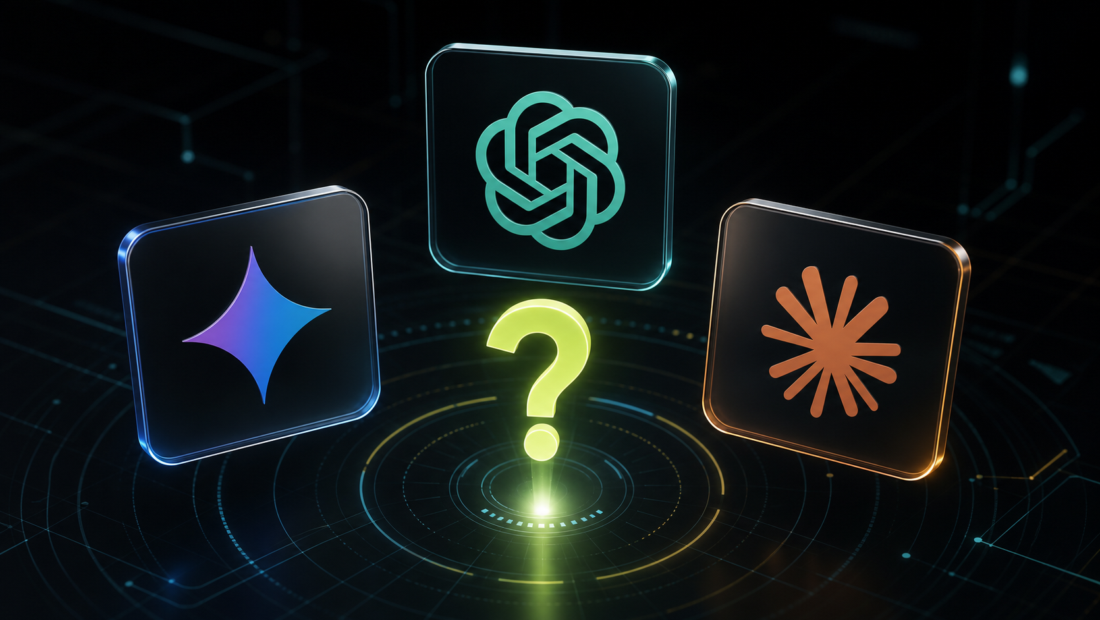
If you want one AI assistant that can handle a bit of everything, start with ChatGPT.
If you already live inside Google apps like Gmail, Google Drive, Calendar, Maps, YouTube, or Android, Gemini may be the most convenient choice.
If you care most about careful writing, long documents, thoughtful explanations, or coding-style work, Claude is often the one to try.
That is the simple version. The honest version is that all three are good, all three can make mistakes, and the best choice depends less on which model is “smartest” this month and more on where you will actually use it.
Do not pay for all three straight away. Pick the one that fits your main use case, try it properly for a week, and only upgrade if it genuinely helps.
ChatGPT Vs Gemini Vs Claude: Simple Comparison
| AI assistant | Best for | Main strength | Main drawback |
|---|---|---|---|
| ChatGPT | Most beginners and general users | Flexible all-rounder with strong tools and broad support | Can feel like too much if you only need one narrow task |
| Gemini | Google and Android users | Connects naturally with Google services and mobile use | Less compelling if you do not use Google much |
| Claude | Writing, long documents, coding, careful work | Calm, detailed responses and strong handling of longer material | Some features and limits depend heavily on plan and location |
For most people, this is not a lifetime decision. You can start with one assistant and switch later.
The real question is:
Where do I want AI to fit into my day?
If you want a general assistant for writing, research, brainstorming, images, files, and everyday questions, ChatGPT is the easiest default recommendation.
If you want AI inside the Google tools you already use, Gemini has the clearest advantage.
If you want help thinking through long text, editing carefully, or working with detailed documents, Claude deserves serious attention.
ChatGPT: Best All-Rounder For Most People
ChatGPT is the easiest AI assistant to recommend to beginners because it is flexible.
You can use it for emails, summaries, planning, brainstorming, coding help, study support, product comparisons, image generation, file analysis, and general questions. It is not perfect at everything, but it is good at enough things that most people can find a useful role for it quickly.
OpenAI’s paid ChatGPT plans also tend to include broader access to advanced features, depending on plan and usage limits. These can include things like voice conversations, image generation, file uploads and analysis, deeper research tools where available, and custom GPTs.
You can check the current ChatGPT plans on OpenAI’s official pricing page.
That broad feature set is ChatGPT’s biggest advantage. It feels less like a single-purpose app and more like a general workbench.
The downside is that beginners can feel overwhelmed. There are models, tools, projects, apps, images, files, and different paid tiers. If you only want help rewriting emails or summarising web pages, you may not need all of that.
Choose ChatGPT if you want one flexible assistant that can cover most everyday AI tasks.
Gemini: Best If You Live In Google
Gemini’s biggest strength is not just the chatbot. It is the Google ecosystem around it.
Google describes Gemini as an everyday AI assistant that can connect with services like Gmail, Google Calendar, Google Maps, YouTube, and Google Photos. On mobile, Gemini can also be useful for voice, images, camera-based help, and Android-style assistance, depending on device, account, language, and location.
That makes Gemini especially interesting if your life already runs through Google.
If your email is in Gmail, your documents are in Google Drive, your videos are on YouTube, and your phone is Android, Gemini may fit into your routine more naturally than a separate AI app.
It is also useful for quick everyday tasks: summarising information, drafting messages, planning, checking ideas, asking about images, and getting help while moving between Google services.
The drawback is simple: if you are not a Google person, Gemini’s strongest advantage matters less. It can still be a capable AI assistant, but the real reason to choose it is the integration.
Choose Gemini if you want AI close to your Google apps and Android life.
Claude: Best For Careful Writing And Long Work
Claude has a different feel from ChatGPT and Gemini.
It is often strong when the task needs careful wording, long context, structured thinking, or a calm explanation. Many people like Claude for editing, rewriting, summarising documents, coding help, planning, and working through complicated ideas.
Anthropic’s paid Claude plans include benefits such as higher usage, priority access, model selection, projects and knowledge bases, and access to features such as Claude Code and Cowork, depending on plan and availability.
Claude also has a strong reputation with long documents and writing workflows. That does not mean it is always the best answer, but it is often the assistant people try when they want a more thoughtful response rather than a quick one.
The tradeoff is that Claude can feel less like a full consumer ecosystem than ChatGPT or Gemini. If your main need is image generation, mobile assistant behaviour, or broad app integrations, compare the exact features available to you before paying.
Choose Claude if you want help with writing, documents, coding, analysis, or careful thinking.
Which Is Best For Writing?
Claude is often the strongest choice for careful writing and editing.
It tends to be good at tone, structure, rewriting, and explaining why a piece of text does or does not work. If you are drafting articles, editing emails, improving arguments, or working on longer documents, Claude is well worth trying.
ChatGPT is also very good for writing, especially if you want a tool that can move between writing, research, images, files, and planning in the same place.
Gemini can be useful for writing too, especially if you work heavily in Google Docs, Gmail, or other Google services.
The practical recommendation:
- Choose Claude for careful writing and long edits.
- Choose ChatGPT for flexible writing plus wider tools.
- Choose Gemini if the writing happens mostly inside Google.
Which Is Best For Research?
For everyday research, all three can help.
The important thing is to remember that AI assistants can sound confident even when they are wrong. Use them to plan research, explain topics, compare ideas, and summarise sources, but check important claims yourself.
ChatGPT is strong when you want a general research assistant with a broad set of tools. Gemini is useful when your research connects to Google services, search-style behaviour, YouTube, Maps, or documents in Drive. Claude is useful when you want to process longer material carefully and turn messy notes into something clearer.
If you are researching something important, do not rely on one answer from any AI assistant. Ask for sources, check dates, and verify facts.
For beginners, our explainer on what AI is and why everyone is talking about it is a useful starting point.
Which Is Best For Coding?
ChatGPT and Claude are both popular for coding help.
ChatGPT is useful for explaining code, debugging, generating examples, and working across a wide range of technical questions. It also has strong developer tooling around the wider OpenAI ecosystem.
Claude is also strong for coding-style work, especially when dealing with longer files, code explanations, refactoring ideas, and careful step-by-step reasoning.
Gemini can help with coding too, particularly if you are already using Google’s developer tools or Android-related workflows.
If you are a beginner, the best AI assistant for coding is the one that explains clearly and helps you understand the answer. Do not just copy code without knowing what it does.
Which Is Best For Everyday Use?
For everyday use, ChatGPT is the easiest default.
It is flexible, widely supported, and useful for many small tasks: rewriting a message, planning a weekend, understanding a bill, comparing products, summarising a document, or brainstorming ideas.
Gemini may be better for everyday use if you are on Android or already use Google services heavily. The convenience of having AI closer to Gmail, Calendar, Maps, YouTube, and your phone can matter more than small differences in model quality.
Claude is excellent for everyday use if your everyday work involves reading, writing, editing, planning, or thinking through longer material.
The best everyday assistant is the one you open without thinking.
Free Vs Paid: Which One Is Worth Paying For?
Start free if you can.
Free plans are usually enough to test whether an AI assistant fits your life. Use one assistant on real tasks for a week before paying. Do not judge it from one novelty prompt.
Paying can make sense if you need higher limits, faster access, better models, file handling, image tools, projects, coding features, or deeper integrations.
ChatGPT Plus and Claude Pro have commonly been priced around $20 per month in the US, with local pricing and taxes varying. Google AI plan pricing and Gemini features can vary by region and package. Always check the current price before subscribing.
The safest approach is simple:
- Start with one assistant.
- Use it for real work.
- Upgrade only when you know what paid features you need.
- Cancel tools that overlap or sit unused.
For more guidance, see how to choose your first AI tool without wasting money.
Privacy And Accuracy
Do not put sensitive information into any AI assistant unless you understand the privacy settings and terms for that tool.
Be careful with:
- Passwords
- Financial documents
- Medical details
- Private client work
- Legal documents
- Confidential business information
- Anything you would not want stored or reviewed
Also remember that AI assistants can make mistakes. They can misunderstand your question, use outdated information, invent details, or miss context.
For low-risk tasks, that may not matter much. For important decisions, check the answer yourself.
FAQ
Is ChatGPT Better Than Gemini And Claude?
ChatGPT is not automatically better than Gemini or Claude. It is often the best all-rounder, especially for beginners, but Gemini may be better for Google users and Claude may be better for careful writing or long documents.
Is Gemini Better Than ChatGPT?
Gemini can be better than ChatGPT if you use Google services heavily. Its biggest advantage is how naturally it fits around Google apps, Android, and Google-style workflows.
If you do not use Google much, ChatGPT may be a more flexible starting point.
Is Claude Better Than ChatGPT?
Claude can be better than ChatGPT for careful writing, long documents, thoughtful editing, and some coding-style work.
ChatGPT may be better if you want a broader all-in-one assistant with more consumer-facing tools in one place.
Which AI Assistant Is Best For Beginners?
ChatGPT is the easiest first recommendation for most beginners because it is flexible and widely used.
Gemini is a strong first choice for Google users. Claude is a strong first choice for people who mostly want writing, documents, or careful explanations.
Should I Use More Than One AI Assistant?
Eventually, maybe. At the beginning, probably not.
Start with one assistant and learn how to use it well. Once you understand what you like and what feels limited, it becomes easier to decide whether a second tool is worth adding.
Final Recommendation
If you are choosing between ChatGPT, Gemini, and Claude, start with your workflow.
Choose ChatGPT if you want the safest general-purpose starting point.
Choose Gemini if your digital life is already built around Google.
Choose Claude if you want careful writing, long-document support, and thoughtful explanations.
The smartest move is not to chase every AI subscription. Pick one, use it on real tasks, and judge it by whether it saves time, improves your work, or helps you understand things more clearly.
For a broader beginner-friendly list, read our guide to the best AI tools for beginners in 2026.